Power the convertor and join the CAN Convertor DSG Wi-Fi network.
Enter the documented Wi-Fi password 1234567890.
Open http://192.168.200.1 in your browser while connected to the convertor.
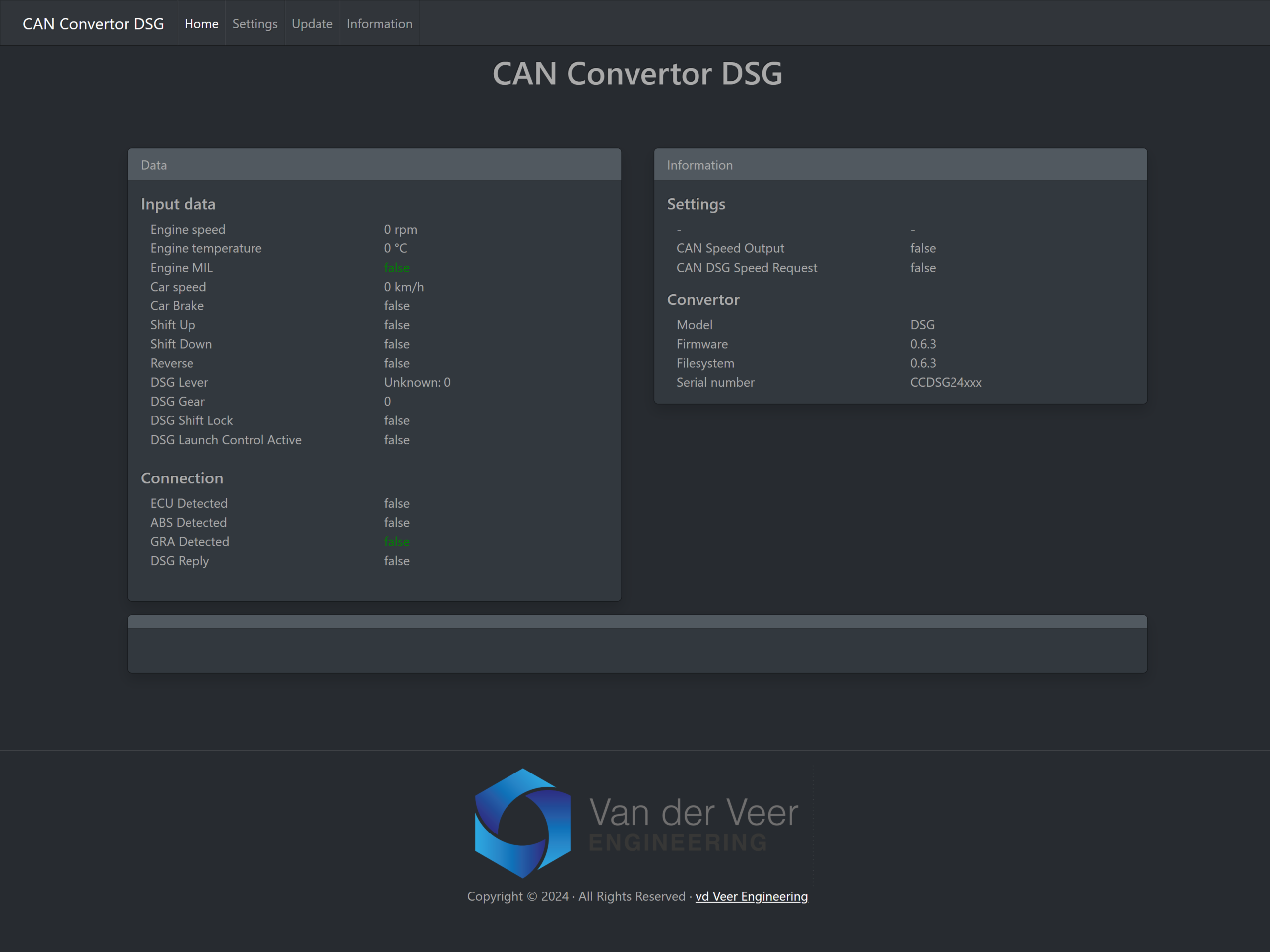
Use Home to view data and connection status, Settings to configure the unit and Update to open the firmware uploader.
Set the CAN protocol and speed source
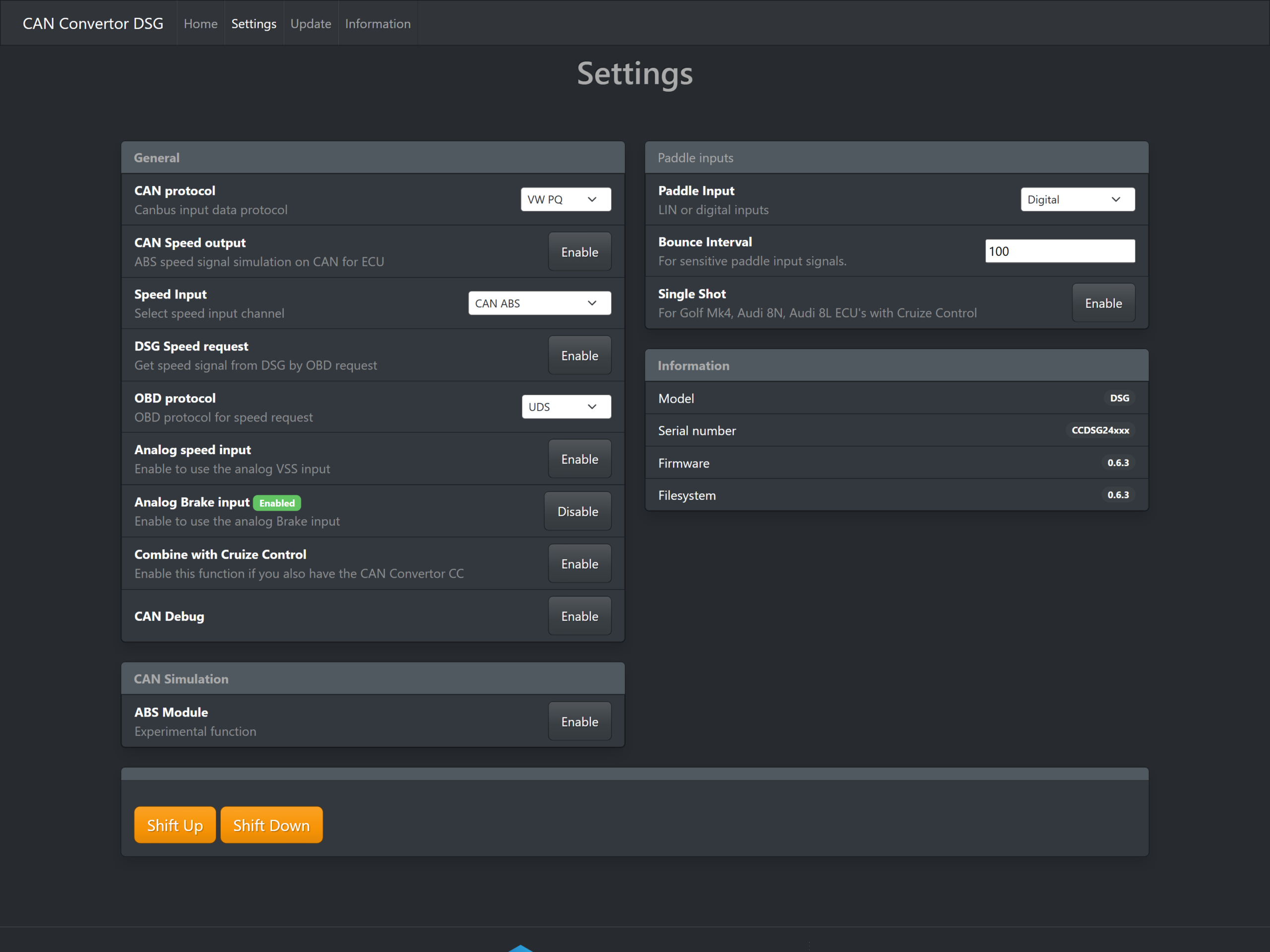
Choose VW PQ or VW MQB under CAN protocol to match the supported CAN setup. Then choose the source your installation uses under Speed Input.
CAN ABS: Reads speed from a compatible ABS module on CAN.
CAN DSG: Uses DSG speed. If your setup uses DSG Speed request, select the OBD protocol supported by the gearbox, UDS or TP2.0.
Calculate RPM/Gear: Calculates speed from RPM and gearbox gear where supported.
Use one of these sources on current DSG hardware. The analog input is assigned to the optional brake signal on pin 3. The VSS wire on pin 4 is an output.
CAN Speed output sends an ABS-style speed signal on CAN for a supported ECU. Check that your installation calls for this feature before enabling it.
Configure paddles and brake input
Paddle Input: Choose Digital for the ground-switch inputs, or the applicable LIN V1/V2 Master or Slave mode for your confirmed hardware.
Bounce Interval: Adjusts filtering for sensitive paddle signals. Use the appropriate setting for your installation.
Single Shot: The interface documents this for certain Golf Mk4 and Audi 8N/8L ECUs with cruise control. Confirm compatibility if the setup uses ME7 cruise control.
Analog Brake input: Enable it when the installation uses the optional analog brake signal.
Combine with Cruise Control: Intended for installations that also use CAN Convertor CC.
Check data and diagnose missing signals
Use Home to check engine speed, vehicle speed, brake, reverse, paddle inputs, selector position and actual gear where the setup supplies them. ECU, ABS, GRA and DSG communication indicators can help identify a missing source.
If the interface will not open, confirm the convertor is powered and your device is connected to its Wi-Fi.
If a signal is missing, confirm the selected CAN protocol and speed source and check the wiring against the installation guide.
For support, include the convertor serial number, firmware and filesystem versions, vehicle, ECU, gearbox and TCU details, and the Home or Settings readings.
CAN Debug is available in Settings. Firmware v0.6.3 adds a CAN logger. The ABS Module under CAN Simulation is marked experimental in the interface.